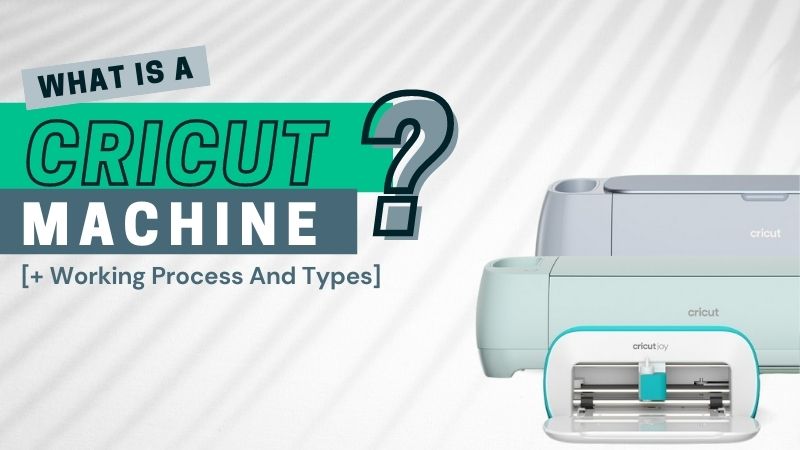
Cricut Machines: The Complete Guide to Every Model, Feature & What They Can Actually Do
Cricut makes smart cutting machines — electronic devices that cut, draw, score, and engrave a wide range of materials based on digital designs. They're not printers in the traditional ink-on-paper sense, but they work alongside inkjet printers for projects like Print Then Cut, where your printer lays down a design and the Cricut cuts it out with precision. If you've found yourself asking "what exactly is a Cricut and which one should I get?" — this page is where that question ends.
The short answer: Cricut currently offers four active machine families — the Joy 2, Joy Xtra, Explore 5, and Maker 4 — each built for a different scale of creative work. Your choice comes down to how large your projects are, how many materials you want to cut, and how portable you need your setup to be.
What Cricut Machines Actually Do (And Don't Do)
A Cricut machine is a computer-controlled cutting plotter. You design something in Cricut's free software, Design Space, send it to the machine, and the machine moves a blade (or pen, or scoring wheel) across your material with precision. The machine itself doesn't connect to the internet to do anything creative — it's a precision-motion tool driven by your design choices.
What they cut ranges dramatically by model:
- Vinyl (removable, permanent, and specialty finishes like glitter or holographic)
- Iron-on / Heat Transfer Vinyl (HTV) for fabric projects like custom shirts
- Cardstock and paper for cards, invitations, and gift wrapping
- Fabric — including bonded fabric on all machines, unbonded fabric only on the Maker family with the Rotary Blade
- Leather, balsa wood, and thin metal — Maker 4 only
- Sticker paper, adhesive foil, and acetate
What they don't do: Cricut machines do not apply ink. They cut pre-printed or solid-color materials. For Print Then Cut projects, your regular inkjet or laser printer prints the image first, and the Cricut machine handles the precise cutting afterward.
The Current Cricut Machine Lineup (2025–2026)
Cricut's hardware has moved through several generations quickly. As of 2026, the current lineup spans five machines. Here's how they compare on what actually matters for most users.
Cricut Joy 2 — Most Portable, Now with Print Then Cut
The Joy 2 launched in February 2026 as a significant upgrade over the original Joy. The biggest addition: a Print Then Cut sensor, a feature previously exclusive to the Explore and Maker families. This means you can now print custom stickers or labels on your home inkjet printer and have the Joy 2 cut them out with registration marks.
Cutting width: 4.25 inches with a mat; 4.5 inches with Smart Materials (matless), up to 4 feet long
Best for: apartment crafters, people who make labels, stickers, small decals, and cards. The compact footprint makes it easy to store in a cabinet when not in use.
Honest limitation: Once your designs exceed roughly 4.5 inches wide, you've outgrown it. A greeting card fits. A full 12-inch shirt design does not.
Cricut Joy Xtra — The Middle Ground
The Joy Xtra fills the gap between the Joy 2 and the Explore family. It supports Smart Materials (matless cutting) at 8.5 inches wide — wide enough for most small-to-medium vinyl decals and iron-on designs for kids' shirts.
Cutting width: 8.5 x 11.75 inches with a mat; 8.5 inches wide with Smart Materials
Best for: crafters who want something more capable than the Joy 2 but still want a compact machine. It handles the most common everyday projects without the footprint of a full Explore.
Cricut Explore 5 — The Redesigned Workhorse
Also launched in February 2026, the Explore 5 is 30% smaller than the Explore 3 while maintaining the same 11.7-inch cutting width. It supports six compatible tools (blade, pen, scoring wheel, and more) and handles over 100 materials. Design Space's new Guided Flows feature — where you tell it what you want to make and it walks you through the process — debuted with this machine.
Cutting width: 11.5 x 23.5 inches with a mat; 11.7 inches wide x 12 feet long with Smart Materials
Best for: serious crafters running Etsy shops, making custom apparel, working with vinyl signage, or producing a high volume of projects. The 2x speed improvement over older Explore models (when using a mat) is noticeable for batch work.
Worth knowing: The Explore 5 can cut bonded fabric — fabric with a fusible backing attached. It cannot cut raw, unbonded fabric or handle sewing patterns. For that, you need the Maker.
Cricut Maker 4 — For Advanced Material Work
The Maker 4 (launched February 2025) is Cricut's most capable consumer machine. It's compatible with over 300 materials and supports up to 13 interchangeable tools, including the Rotary Blade for unbonded fabric and the Knife Blade for cutting balsa wood, thick leather, and chipboard.
Cutting width: Same as Explore 5 — 11.5 x 23.5 inches with a mat; 11.7 inches wide x 12 feet long with Smart Materials
Best for: quilters, fashion designers, leatherworkers, and anyone cutting materials that require the Rotary or Knife Blade. If you're cutting sewing patterns from fabric directly, this is the only machine in the lineup that handles it cleanly.
Honest perspective: For pure vinyl and cardstock work, a Maker 4 is overkill. The real reason to buy it over an Explore 5 is tool compatibility. If you'll never use the Knife Blade or Rotary Blade, the Explore 5 does 90% of the same work.
Cricut Venture — Large-Format Cutting
The Venture is Cricut's large-format machine, designed for high-volume production use. It cuts up to 24 inches wide and handles Smart Materials up to 75 feet long — built for signage, bulk decal production, and small business output that would take hours on an Explore or Maker.
Most home crafters won't need this. It's listed here because it's part of the ecosystem, and if you're running a print-and-cut business, it changes what's possible.
Cricut Design Space: The Software Every Machine Requires
All Cricut machines require Design Space to function. It's available as a free desktop app (Mac/Windows) and a mobile app (iOS/Android). You design or upload your project there, then send the cut file to your machine via Bluetooth or USB.
Key things to know about Design Space in 2026:
- The free tier gives you access to a limited library of images and fonts. You can upload your own SVG files at no cost — this matters if you source designs from Etsy or free SVG sites.
- Cricut Access (paid subscription, billed annually) unlocks a library of 100,000+ images, fonts, and ready-to-make projects. It also includes 10% off purchases at Cricut.com and free shipping on qualifying orders.
- Create AI, a new generative design feature for paid subscribers, launched alongside the Joy 2 and Explore 5 in February 2026.
- Guided Flows — introduced in the 2026 Design Space update — lets you select a project type (custom shirt, greeting card, label, etc.) and the software guides you step by step. Useful for beginners who don't want to start from a blank canvas.
One thing that trips up new users: Design Space requires an internet connection and a Cricut account even to cut a simple shape. The software processes your design and communicates with the machine through the app. This is a deliberate design choice by Cricut, not a bug — plan accordingly if you're setting up in a space without reliable Wi-Fi.
Smart Materials vs. Mat-Based Cutting: What the Difference Means Practically
This distinction matters more than most buying guides acknowledge.
Traditional mat-based cutting uses a sticky cutting mat (sold separately, in Light, Standard, Strong, or FabricGrip grip levels) to hold your material in place during cutting. Mats come in 12×12 and 12×24 inch sizes. You load the mat into the machine, it feeds through, and the blade moves over it.
Smart Materials — first introduced with the original Cricut Joy in 2020 — have a built-in backing that lets them feed directly into the machine without a mat. Smart Vinyl, Smart Iron-On, and Smart Paper Sticker Cardstock all work this way. The benefit is convenience and the ability to cut longer pieces (up to 12 feet on Explore and Maker machines, 4 feet on the Joy 2).
The practical limitation of Smart Materials: they're only available in the materials Cricut sells under the "Smart" line. If you buy third-party vinyl from Amazon or a craft store, it won't work matless — you'll still need a cutting mat.
For crafters cutting a lot of custom stickers or HTV designs in bulk, Smart Materials genuinely speed up workflow. For people cutting thicker or specialty materials, mat-based cutting remains the only option.
Cricut and Printing: How Print Then Cut Works
This is where Cricut intersects most directly with traditional printing. Print Then Cut is a workflow where:
- You design an image in Design Space
- Design Space sends the design to your home inkjet or laser printer, which prints it on sticker paper, cardstock, or adhesive vinyl
- You place the printed sheet back into the Cricut machine
- The Cricut uses a built-in optical sensor to detect registration marks printed around your design, then cuts precisely along the design edges
The result: full-color custom stickers, labels, iron-on transfers, and packaging elements with clean cut lines.
Print Then Cut specifications:
- Works on all current Cricut machines (Joy 2, Joy Xtra, Explore 5, Maker 4)
- Maximum printable area varies by machine — the Joy 2's 4.25-inch width limits it significantly
- Works with most inkjet printers; some laser printers with high-contrast toner also work
- The Cricut doesn't care what printer brand you use — HP, Epson, Canon, Brother all work as long as your printer produces clean registration marks
A common issue: if your inkjet printer produces registration marks that are too light, the Cricut sensor struggles to detect them. Running a test print first — before committing to premium sticker paper — is standard practice.
Cricut Machine Comparison at a Glance
Joy 2 Max cut width (mat): 4.25 in | Smart Materials: 4.5 in | Materials: ~50 | Tools: 1 | Print Then Cut: Yes | Unbonded Fabric: No | Bluetooth: Yes
Joy Xtra Max cut width (mat): 8.5 in | Smart Materials: 8.5 in | Materials: ~50 | Tools: 1 | Print Then Cut: Yes | Unbonded Fabric: No | Bluetooth: Yes
Explore 5 Max cut width (mat): 11.5 in | Smart Materials: 11.7 in | Materials: 100+ | Tools: 6 | Print Then Cut: Yes | Unbonded Fabric: No | Bluetooth: Yes
Maker 4 Max cut width (mat): 11.5 in | Smart Materials: 11.7 in | Materials: 300+ | Tools: 13 | Print Then Cut: Yes | Unbonded Fabric: Yes | Bluetooth: Yes
Who Each Machine Is Really For
Joy 2: Best if you mostly make labels, stickers, vinyl decals under 4 inches, and cards. The compact footprint means it stores easily when not in use.
Joy Xtra: The right pick if you're doing similar projects at a slightly larger scale — kids' shirts, medium decals, some signage — and still want a compact machine.
Explore 5: Built for volume — multiple projects per week, an Etsy shop, custom apparel for groups, or vinyl lettering for windows and walls. The 11.7-inch width handles 95% of crafting projects.
Maker 4: The right choice if you cut unbonded fabric (sewing patterns, quilting), leather, balsa wood, or any material that requires the Knife Blade or Rotary Blade.
Explore Cricut Guides on Printer Tales
Looking for setup help, Bluetooth connection issues, or Design Space troubleshooting? Use the links above to find step-by-step guide for your specific Cricut machine.