How to Download and Install Lexmark Printer Driver?
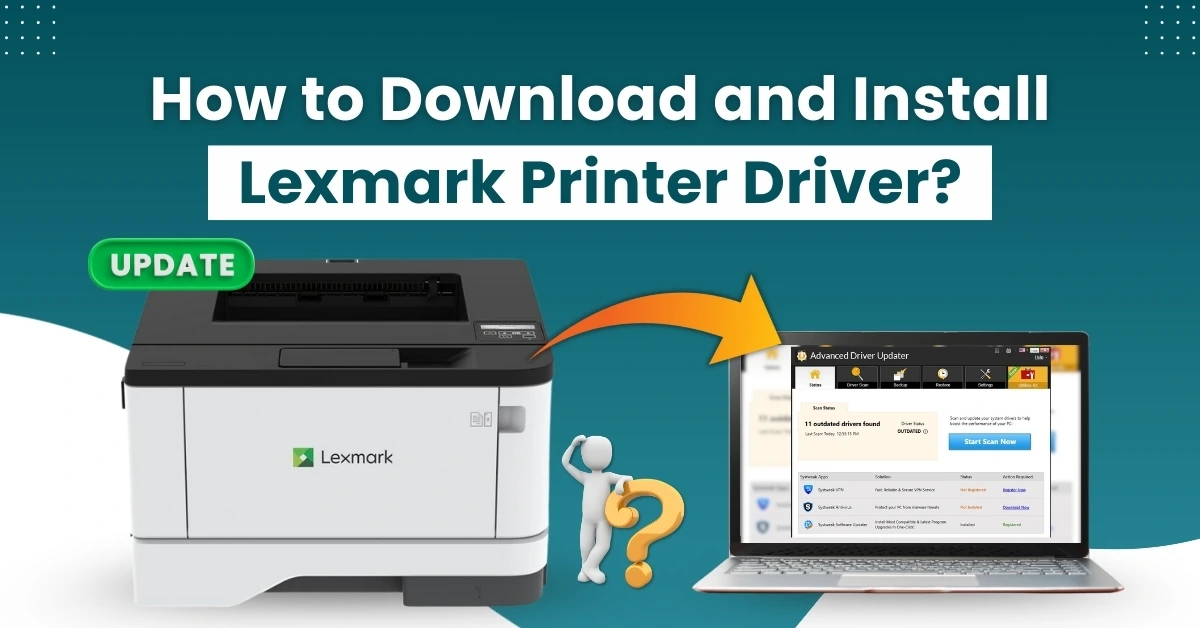
Has your Lexmark printer become slow or stopped printing properly? At times, you may also see a “Driver not installed” error when you try to print. Everything seems fine, so you might ask yourself - what’s causing these issues?
Well, the problem could be a missing or outdated driver for your Lexmark printer. Without the correct or updated drivers, the printer may slow down and perform poorly. Fortunately, downloading and installing the latest printer drivers fixes these issues and restores your printer’s performance.
By installing the latest driver on your system, you also get advanced security features, such as secure print release. Updated drivers can reduce communication failures and improve print quality. So, how do you download and install the Lexmark printer driver? Before we begin, let’s review a few things you should check first.
Preparation Before Downloading and Installing Driver
Before downloading and installing the Lexmark printer driver, make sure you do the following:
Remove Old Drivers
Before installing the new driver, you must uninstall any outdated or conflicting printer drivers. This can avoid compatibility issues later on.
Check Internet Connection
A stable internet connection is essential for downloading the printer driver without interruptions. If the connection is weak, the download may fail, pause unexpectedly, or even result in a corrupted file.
Disable Antivirus Temporarily
Some antivirus programs on your operating system may restrict the installation of the printer driver. If you encounter this disruption, try turning off your antivirus software temporarily.
Potential Issues During Driver Installation
Below are some of the problems that might arise when you are attempting to download or install the Lexmark printer driver:
- Driver compatibility issues
- Driver installation failure or crash
- Connectivity issues
- Delayed printing or print queue errors
- Installing the wrong printer driver
Steps to Download and Install Lexmark Printer Driver
Here are all the steps that you need to take into account to download and install the Lexmark printer driver:
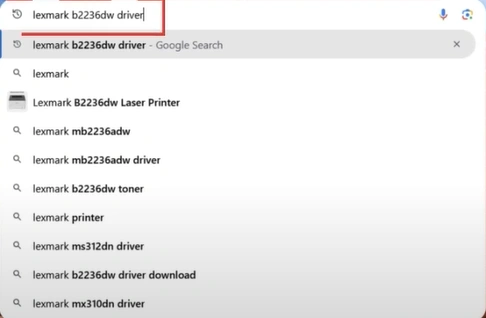
Step 1: Open an internet browser and search for your printer driver as per the model.
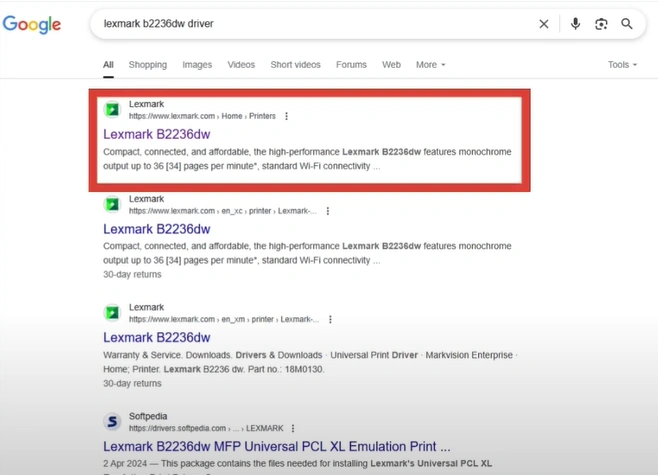
Step 2: Open the Lexmark official website.
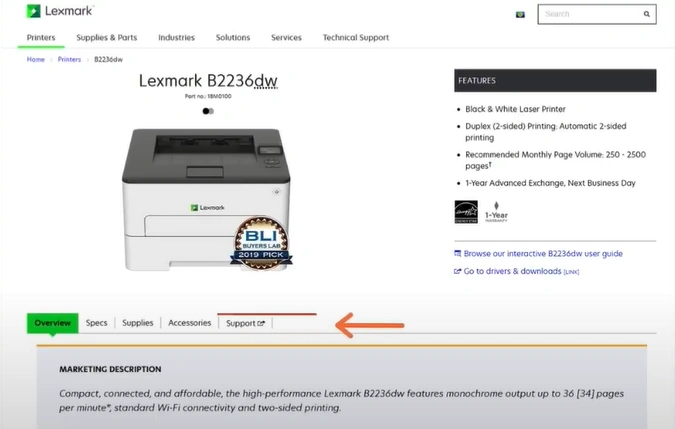
Step 3: Open the Support tab.
Step 4: Open Drivers & downloads.
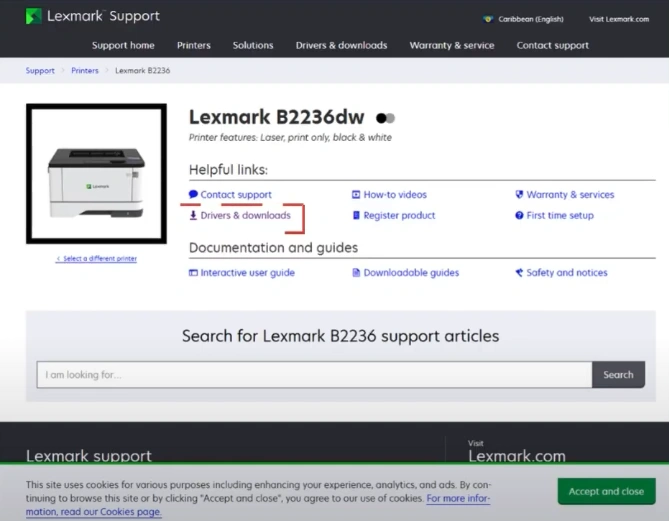
Step 5: Download the driver package.
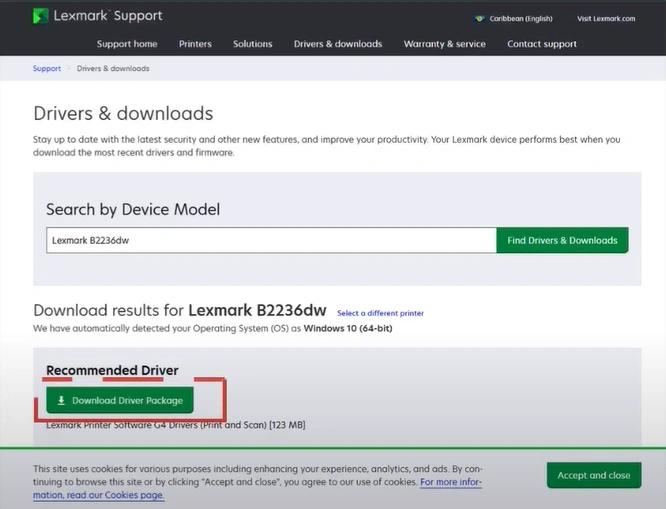
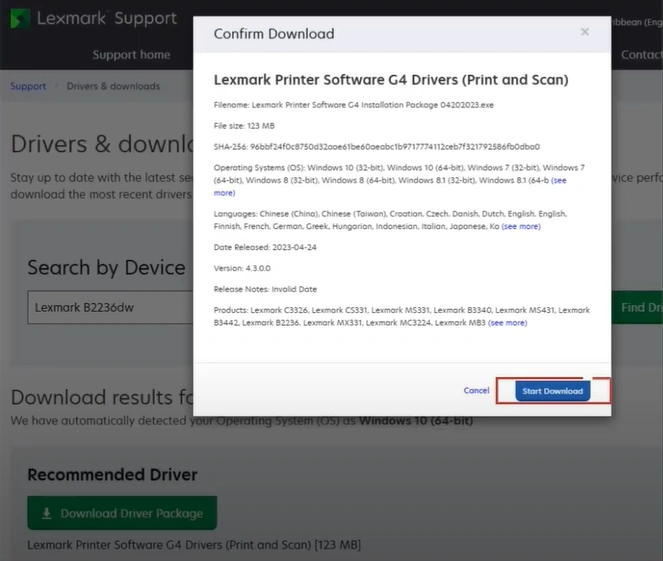
Step 6: In the Confirm Download pop-up, click Start Download.
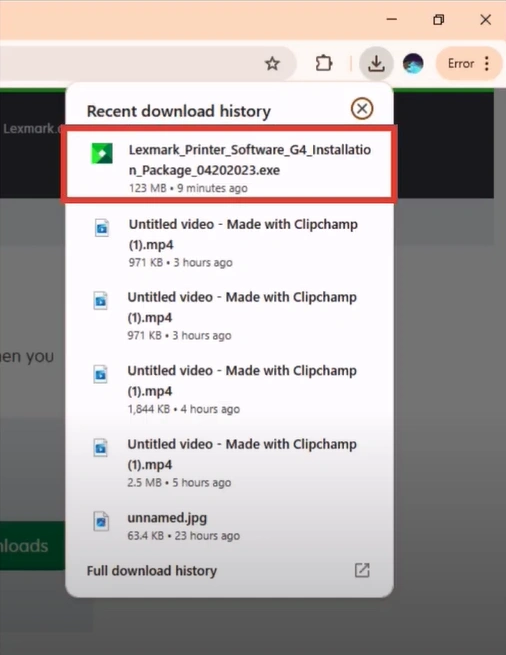
Step 7: Open the downloaded file.
Step 8: Click on Yes to let the application make changes.
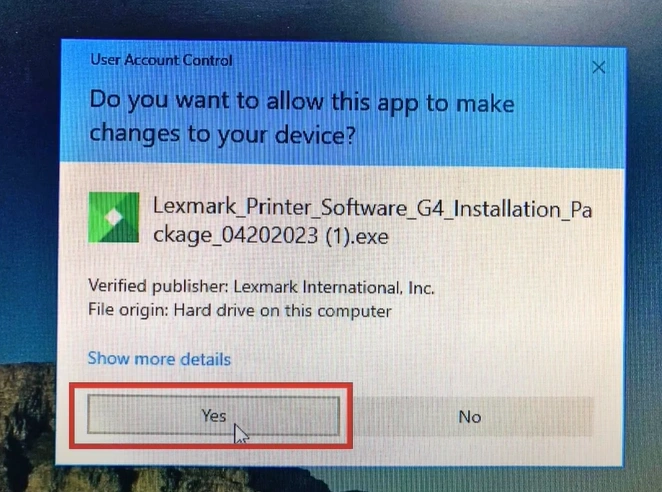
Step 9: In the Lexmark window, click on Start.
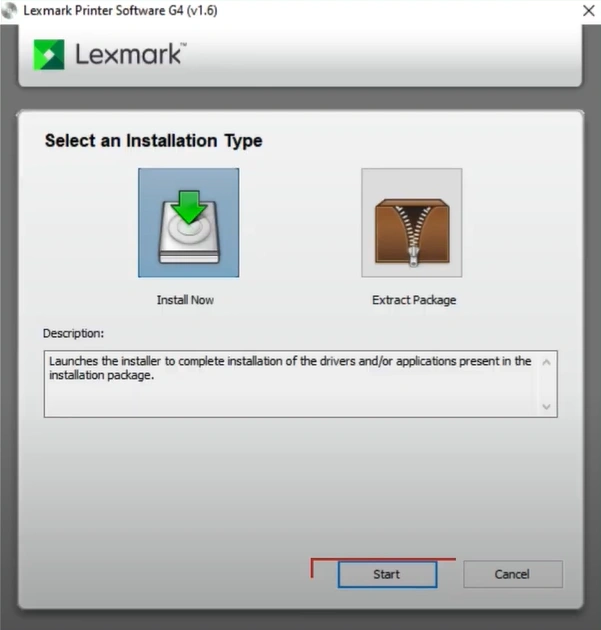
Step 10: Review the license agreement and click on Accept.
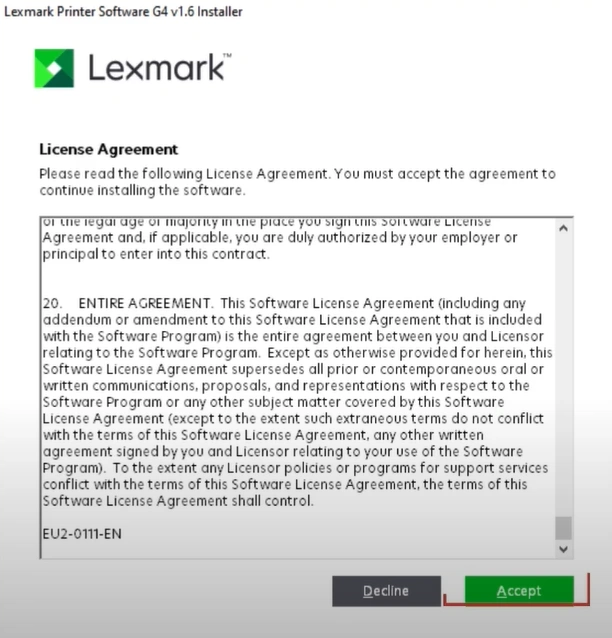
Step 11: Select your connection method, and click on Next.
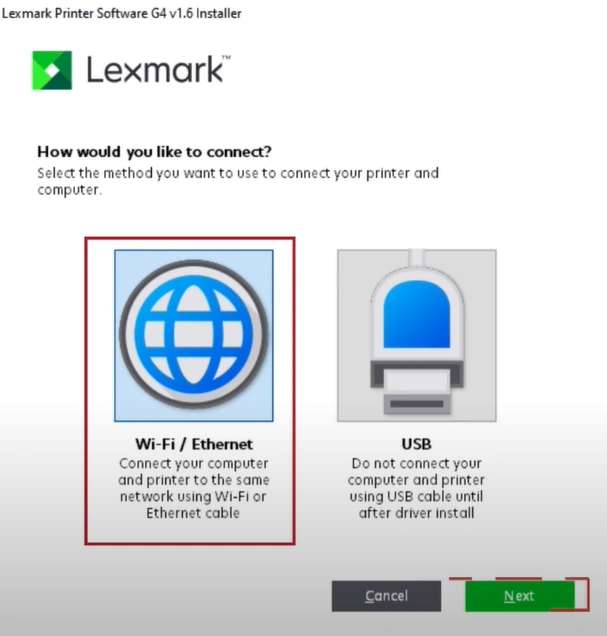
Step 12: Select your printer and click on Next.
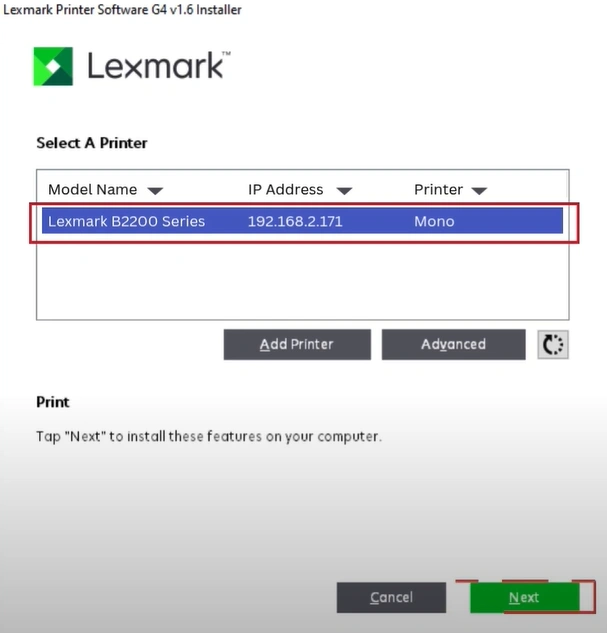
Step 13: Wait for installation to complete.

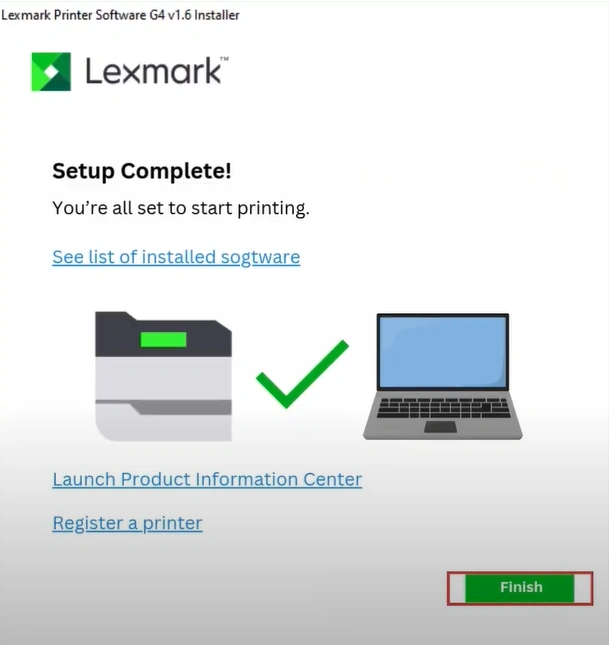
Step 14: Once completed, click on Finish.
Summing Up
That’s the correct way to download and install Lexmark printer driver. Just follow the above steps and make sure to always use the official Lexmark site. Before starting, check that you have a stable internet connection. Also, remove any conflicting drivers from your system before installing the new one. If needed, temporarily disable your antivirus software to avoid interruptions during the installation process.

